Back to blog

The Quanta API, and Logging Time From Claude

A versioned REST API for your Quanta workspace, plus an MCP server that lets Claude start your timer, log your work, and answer questions about where the time went. Available on every paid plan.

Harley McPhee·August 5, 20266 min read
The Quanta API, and Logging Time From Claude

The most accurate timesheet is the one you don't have to remember to fill in. That has always been the argument for the desktop timer, and it's the same argument for what we're shipping today: a public API for your Quanta workspace, and an MCP server that lets an AI assistant do the tracking for you.

If you already use Claude while you work, you can now say "log two hours on the Acme redesign" and have it land in the same timesheet that feeds your reports and invoices. No tab switching, no trying to reconstruct Tuesday on Friday afternoon.

The API

Everything sits under /api/v1 and speaks plain JSON. Thirteen endpoints cover the things you'd actually want to automate:

  • Time entries. List them with date filters and paging, create them, edit them, delete them.
  • The timer. Start it, stop it, ask what's running.
  • Reports. Grouped totals by client, project, user or task, and the individual rows behind them.
  • Reference data. Projects with their tasks, clients, and tags.
  • Plain English. Send a sentence like "45 minutes on the portal redesign this morning" and get back a structured entry, matched to the right project.

Related records come back nested, so one call gives you everything you need to display a row:

{
  "id": 3387,
  "description": "Sprint planning",
  "durationSeconds": 8100,
  "project": { "id": 6735, "name": "Website Rebuild" },
  "client":  { "id": 6313, "name": "Acme Widgets" },
  "user":    { "id": 64922, "name": "Avery Stone" }
}

Every reference carries an id you can follow, so you're never left with a name you can't resolve back to a record.

The full reference lives at api.quanta.is/docs, generated from the API itself, so it can't drift out of date.

Reports

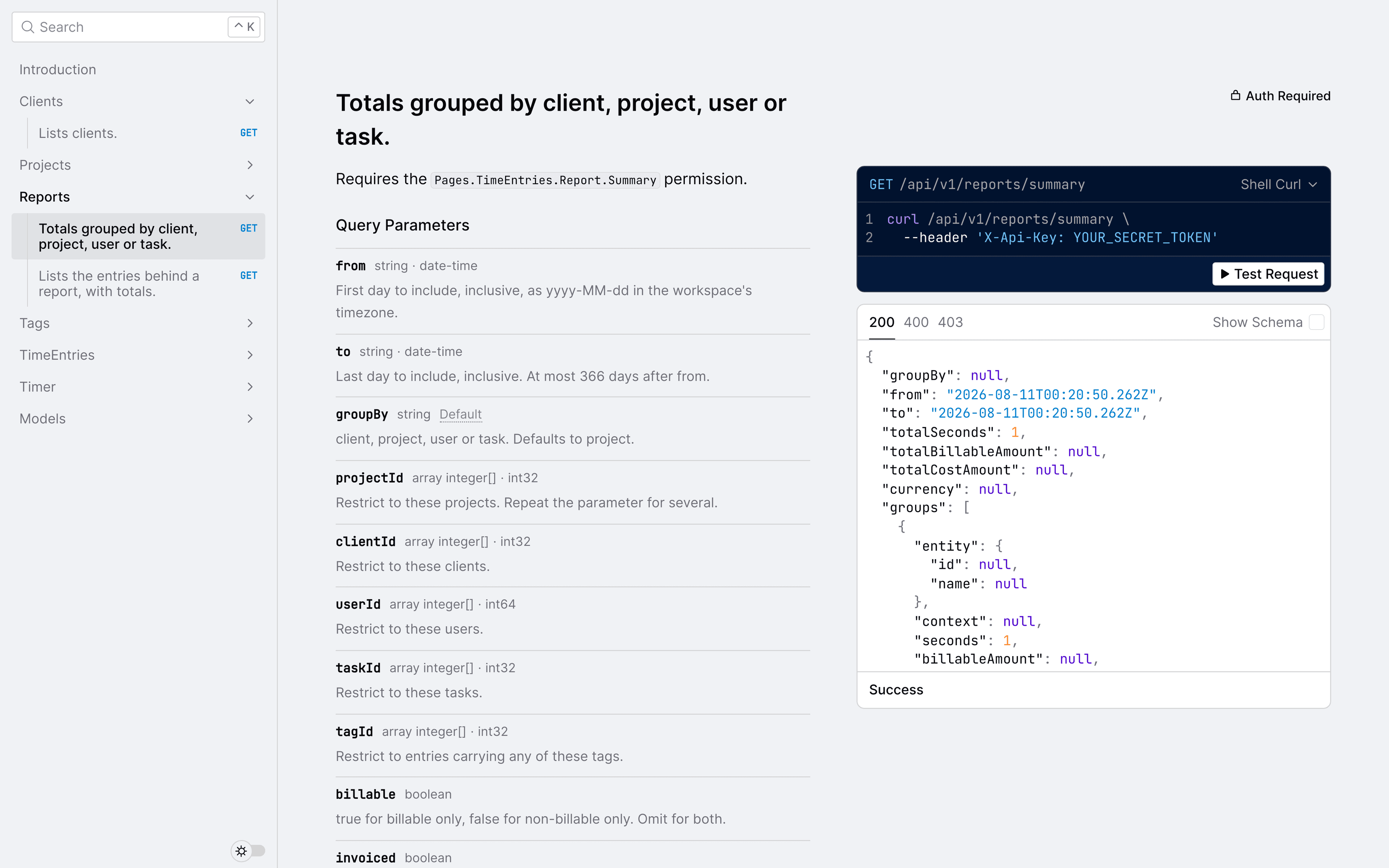
The two report endpoints are the ones most people will reach for first. /reports/summary gives you grouped totals; /reports/detailed gives you the rows behind them, paged, with the totals for everything that matched rather than just the page you asked for.

curl -G https://api.quanta.is/api/v1/reports/summary \
  -H "X-Api-Key: qta_live_..." \
  -d from=2026-07-01 -d to=2026-07-31 -d groupBy=client

Both take the same filters, so you can narrow by project, client, user, task or tag, and by billable or invoiced status.

Two details worth knowing before you build on them.

They report time in seconds as well as hours. Hours are rounded to two decimals for display, and adding up rounded numbers drifts. If you're reconciling totals, or checking that a report matches an invoice, use seconds and convert once at the end. The summary and detailed endpoints will agree with each other exactly on the same filters, whichever way you group.

Reports respect the permissions you already have. These are the only endpoints in the API that check one. Listing your own time entries is something anyone can do; a report can span the whole workspace, so each endpoint requires the same permission the equivalent screen does. Since a key carries the permissions of whoever created it, a key made by someone who can't open the report in the app can't pull it through the API either. If you're refused, the error names the permission you're missing rather than making you guess.

Authentication

Create a key under Settings, then API Keys. You'll see it once, at creation, and only a prefix afterwards. Store it somewhere safe.

Send it as a header:

curl https://api.quanta.is/api/v1/time-entries \
  -H "X-Api-Key: qta_live_..."

If your tooling prefers OAuth-style headers, Authorization: Bearer qta_live_... works identically.

A key acts as the person who created it. It sees exactly what you see and can change exactly what you can change. Time logged through it is attributed to you, the same as if you'd used the app. That means a key never grants access you didn't already have, and it also means you should treat it like a password. Revoke it from the same screen if it ever leaks, and anything using it stops working immediately.

Requests are limited to 120 per minute per key. The limit is per key rather than per workspace, so one enthusiastic script can't starve your other integrations. Go over and you'll get a 429 with a Retry-After header telling you when to come back.

Logging time from Claude

The API is the foundation. The part that changes your day is the MCP server.

MCP is a small open standard for giving an AI assistant real tools. Point Claude at the Quanta MCP server and it gains eight of them: start a timer, stop it, check what's running, log time, log time from a plain sentence, and list your projects, clients and entries.

In practice it looks like this:

You: What am I working on?

Claude: You've had a timer running on Quanta 2026 / Dev since 9:30 this morning, about an hour and a half so far.

You: Stop that and log 45 minutes to the Acme redesign for fixing the invoice import.

Claude: Stopped. Logged 45 minutes to Website Rebuild for Acme Widgets.

It reads your projects to match "Acme redesign" to the right one, so you don't need to remember ids or exact names. When it isn't sure, it shows you what it understood before saving anything.

Getting started

Both the API and the MCP server are available on every paid plan. There is nothing to request and nobody to email: create a key, point your tooling at it, and you're through.

What's next

The surface is deliberately narrow. Time entries are the only records you can create and change; projects, clients and tags are read-only, and reports are read-only by nature. That covers tracking and reporting, which is where the value is today, and it keeps the contract small.

Write access to projects and clients is the obvious next step, and webhooks after that so integrations stop polling. Reporting through the MCP server is the other one worth calling out: Claude can log your time today, but it can't yet answer "how many hours did we bill Acme last month" without you going to the API directly.

If you have a strong opinion about which comes first, we'd like to hear it before we build it. Write to support@quanta.is.

Get product updates

New features, time-tracking tips, and the occasional Quanta announcement. No spam, unsubscribe anytime.