Approving timesheets
Review the weeks of the people you oversee, approve them, or send them back with a reason.
If you are an approver on a timesheet group (or an Admin), Time Tracking → Timesheets lists the weeks waiting on you.
The page
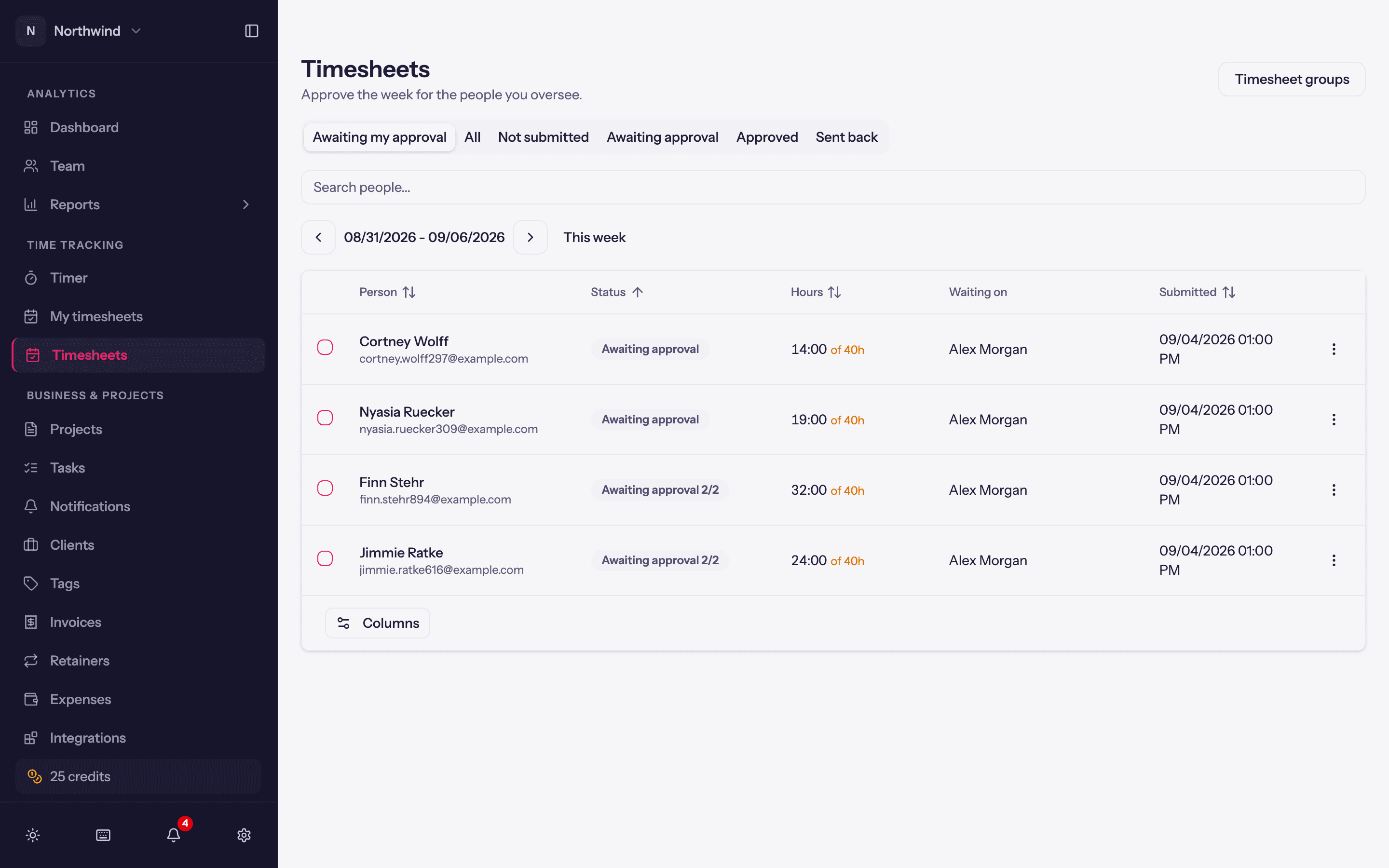
- Awaiting my approval is the default filter. This week shows the current week for everyone you oversee, submitted or not, with Previous week / Next week.
- Each row: the person, the week, hours against the group's minimum, the note they attached, and the level it is waiting at for two-level groups.
- Select several with the checkboxes to Approve in bulk.
Reviewing a week
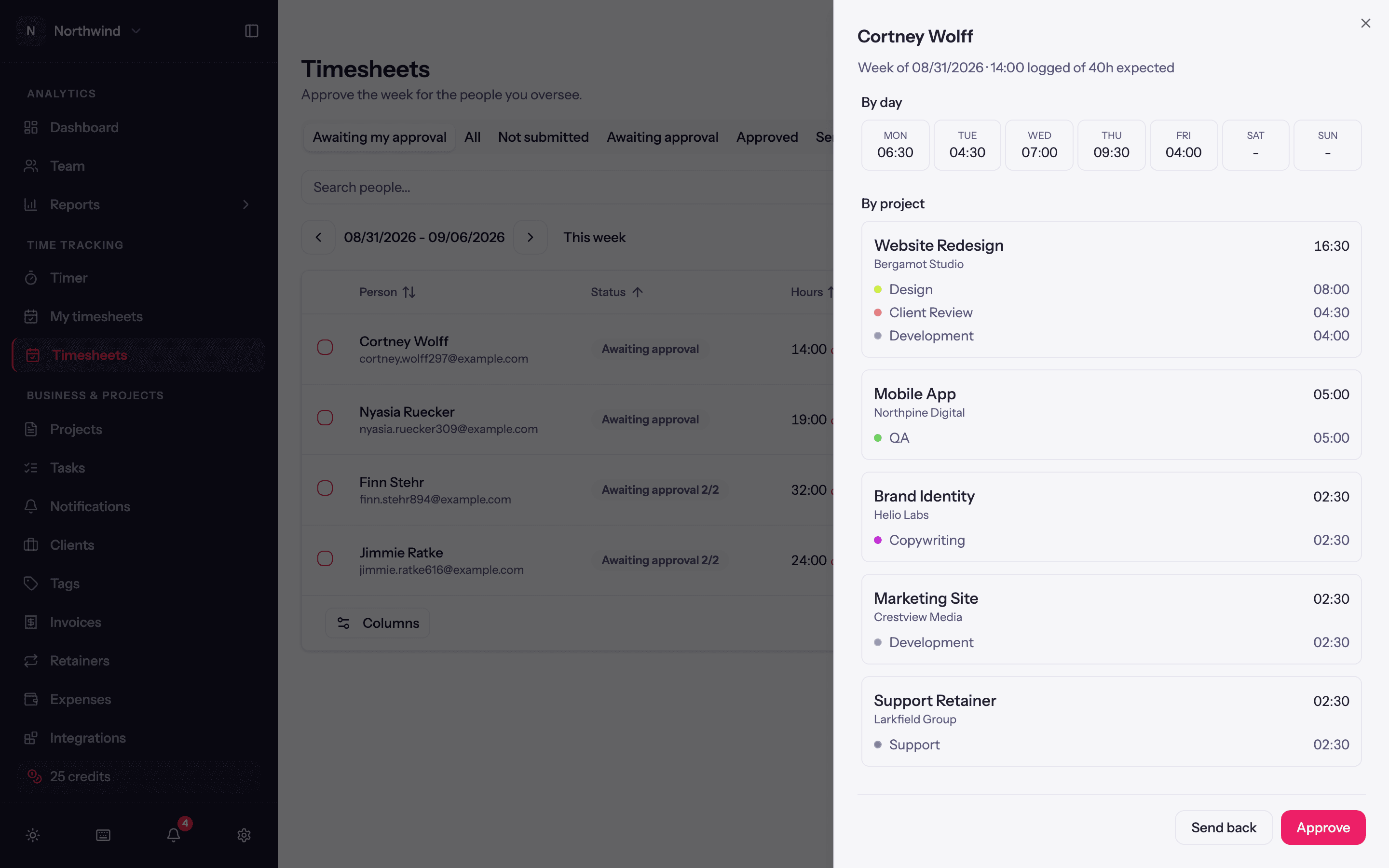
Review opens the week in a panel headed Week of … · 14:00 logged of 40h expected, with the hours By day and By project (down to the task), so you can check both that every day is accounted for and that the hours landed on sensible projects. Open their week takes you into their timer views instead, with a banner reading Viewing their name and Back to my timesheet to return.
Then either:
- Approve. The week stays locked. In a two-level group, the second level now sees it.
- Send back. Asks Why are you sending this back? (for example Friday is missing a project). The owner gets the reason, the week unlocks, and it comes back to you when they resubmit.
After approval
Approved weeks are locked, and the Timesheets page offers no undo for them: Approve and Send back only apply to submitted weeks. If an approved week genuinely needs correcting, ask an Admin. Locked weeks still count in every report.