User settings
Your profile, product emails, date, time and duration formats, the AI switch, your API keys and your password.
User Settings (user menu → Profile & Settings) has five tabs. Each has its own Save Changes.
Profile
First Name, Last Name, Email Address and Phone Number. Your name is what appears on your entries, in reports and on timesheets, so keep it real. Changing your email sends a confirmation to the new address.
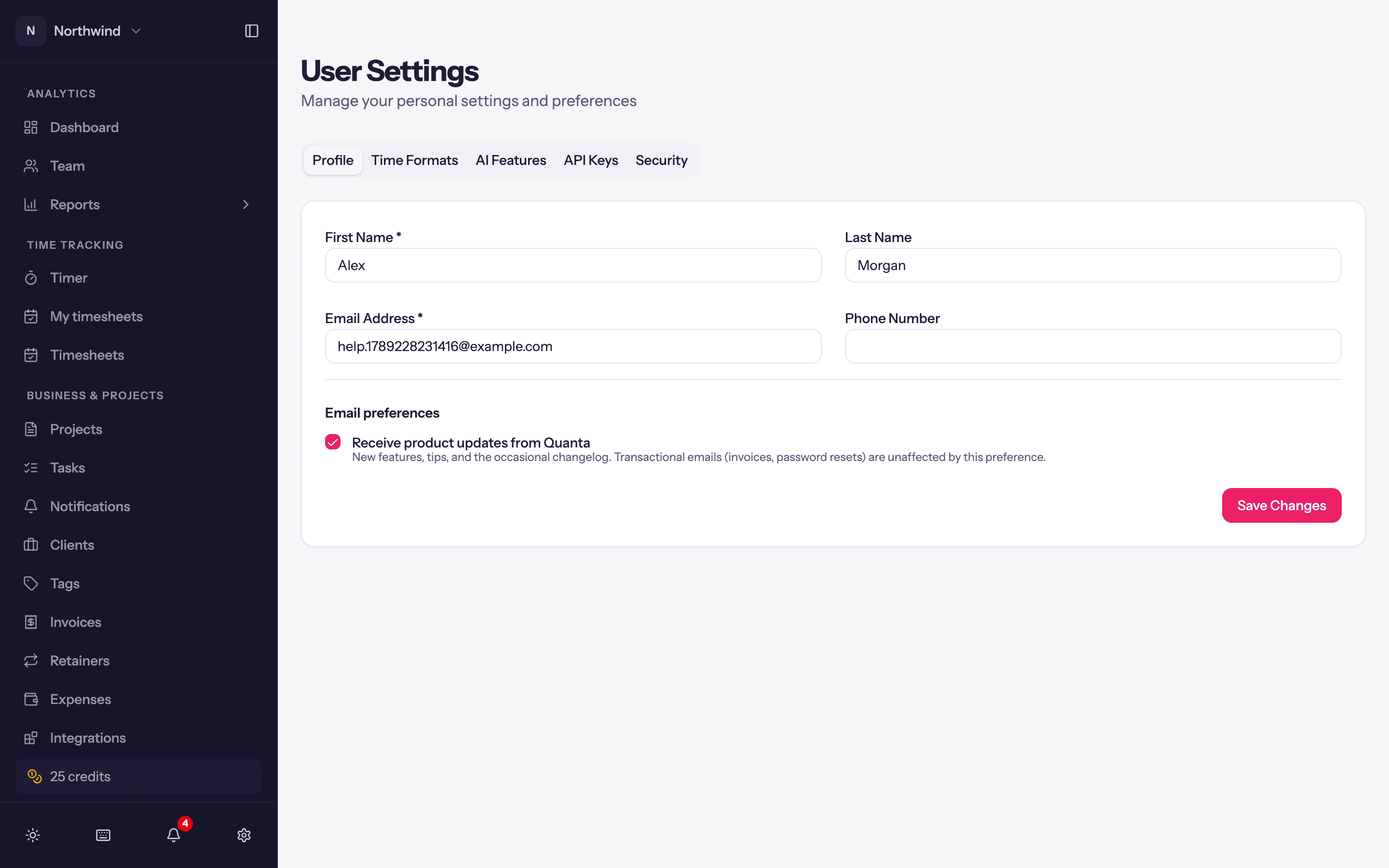
Email preferences → Receive product updates from Quanta: the occasional product newsletter. Transactional email (invitations, reminders, timesheet notices) is unaffected.
Time Formats
- Date Format:
MM/DD/YYYY,DD/MM/YYYY,YYYY-MM-DD,DD.MM.YYYY,YYYY.MM.DDorYYYY/MM/DD. - Time Format: 12-hour or 24-hour.
- Duration Format: hours and minutes (
6:30) or decimal (6.50).
These apply to you everywhere in the app. The Timer page has its own quick switches for time and duration format under Display settings; they cover only that page.
AI Features
Use AI features is the switch for every AI feature in Quanta for you: time entry fill, voice dictation on the timer and AI Insights on the detailed entry report. Turn it off and nothing you enter is sent to an AI provider. An admin can also turn AI off for the whole workspace, or set your monthly credit allowance; see AI credits.
API Keys
Your personal keys for the API and the MCP server: create, copy once, revoke. See Public API.
Security
Change Password: current password, new password, confirm. Passwords need at least one digit, one lowercase letter, one uppercase letter and one special character. If you signed up with Google you sign in with Google and there is no password to change.
Things that are not here
- Notifications have their own settings; see Notifications.
- Theme and keyboard shortcut hints are toggles at the bottom of the sidebar.
- Workspace name, timezone and currency are workspace settings an Admin controls.