AI credits
How AI features are metered, buying credits, per-person allowances, usage history, and bringing your own API key.
Every AI feature in Quanta (Tell AI, AI fill, voice dictation, AI Insights) spends credits. The Individual and Team plans include 25 credits a month. Administration → Credits is where you see and manage them.
Balance & Purchase
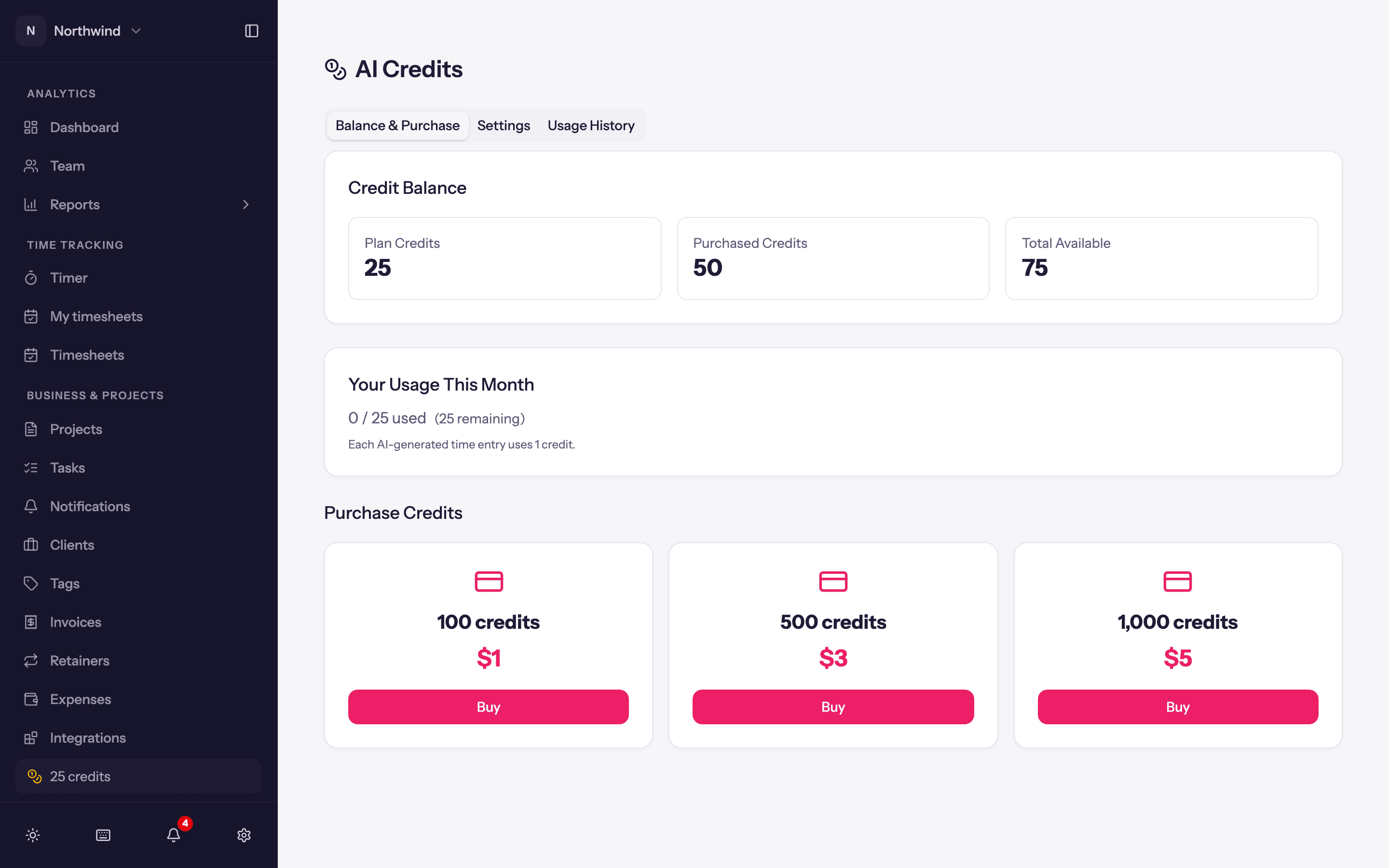
- Plan Credits: the monthly allowance included with your plan. It resets every month and does not carry over.
- Purchased Credits: credit packs you have bought. They do not expire.
- Total Available, and Your Usage This Month. Each AI-generated time entry uses 1 credit; AI Insights shows its estimated cost before it runs.
- Purchase Credits in packs of 100, 500 or 1,000 credits, through the same secure checkout as the subscription. They appear on your balance as soon as the payment completes.
Credits are spent from the plan allowance first, then from purchased credits.
Settings
- Default Monthly User Allowance: the credits each person may use per month unless they have their own allowance. Set it to 0 to disable AI features for new users by default.
Per person
On a user (Administration → Users → Edit User): Use AI features, Monthly AI Allowance (0 = the workspace default) and one-off Bonus Credits. With AI on for the workspace, the Users list adds an AI Balance column.
Usage History
Every debit and credit with Date, User, Type and Amount, so you can see who used what.
When credits run out
The AI panels say so and refuse to process rather than failing silently. Nothing else in Quanta is affected. Buy a pack or raise the allowance.
Turning AI off
- The whole workspace: Workspace Settings → General → AI features.
- One person: their own settings, or the Use AI features switch on their user record.