Creating projects
The Details tab of the project sheet: name, code, colour, client, visibility, tags, expenses, invoicing and notes.
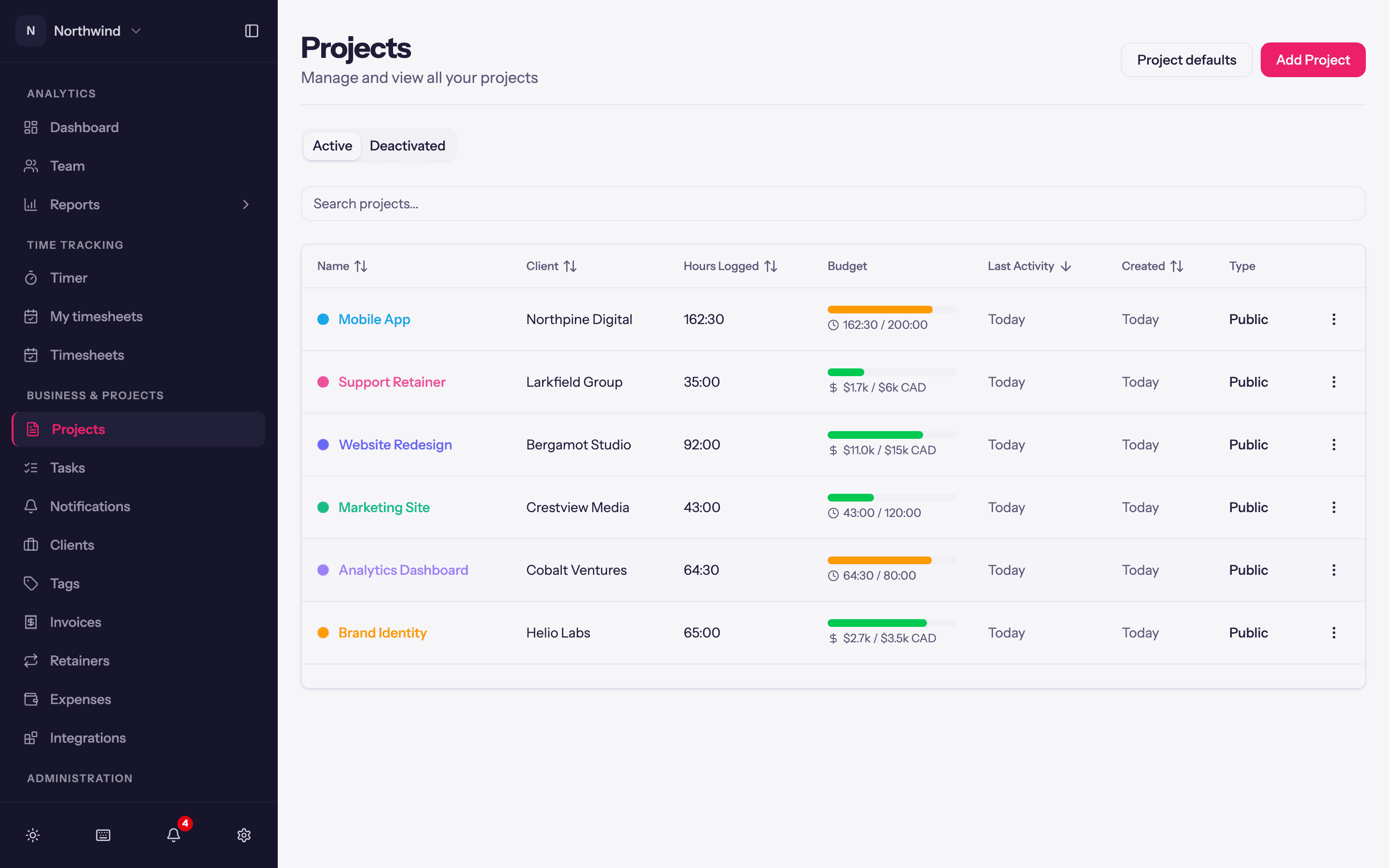
Business & Projects → Projects lists every project with its client, hours logged, budget, last activity, created date and type. Add Project opens the project sheet; the same sheet opens for Edit from a project's row menu or the Edit button on its page.
The sheet has tabs: Details (this article), Pricing (Billing and rates), Budget (Project budgets), Tasks (Tasks), Team (Project team) and, when retainers are on, Retainer (Retainers). Nothing is saved until you click Create Project or Save Changes at the bottom.
Details
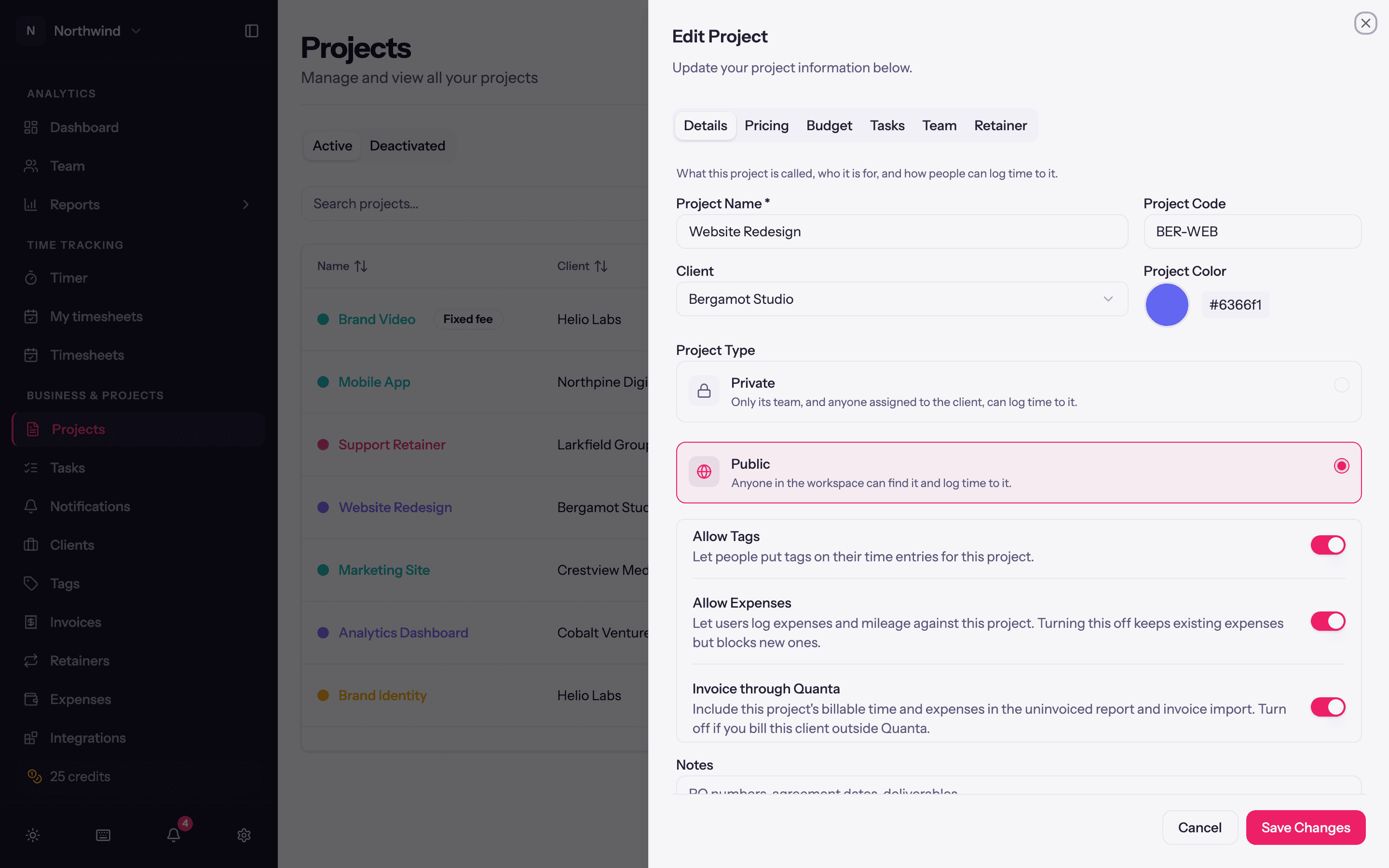
| Field | Notes |
|---|---|
| Project Name | Required. |
| Project Code | Optional short code, e.g. ACM-WEB. Searchable in the project picker and shown in reports. |
| Project Color | Used for the project's chip in the timer and the bars in charts. A new project takes the colour on the form, then the client's Default project colour, then the workspace's under Project defaults. |
| Client | Required. + Add New Client creates one inline with just a name; fill in its details later under Clients. |
| Project Type | Private: only its team, and anyone assigned to the client, can log time to it. Public: anyone in the workspace can find it and log time to it. |
| Allow Tags | Whether entries on this project can carry tags. |
| Allow Expenses | Whether people can log expenses and mileage against it. Turning it off keeps existing expenses but blocks new ones. |
| Invoice through Quanta | Include this project's billable time and expenses in the uninvoiced report and invoice import. Turn it off if you bill this client outside Quanta. |
| Notes | Free text for the team: PO numbers, agreement dates, deliverables. Shown on the project page and included in the projects export. Never printed on an invoice. |
Status
Projects are Active or Deactivated (the two tabs at the top of the list). Deactivating a project stops time tracking against it but keeps everything for reports and invoices; Activate brings it back. Delete is permanent and only offered from the row menu; prefer deactivating.
Other row actions
- View opens the project page.
- Duplicate starts a new project from this one's setup; see Project defaults and duplicating.
Searching and sorting
The search box matches on name and code. Name, Client, Hours Logged, Last Activity and Created are sortable, so a long list can be arranged to surface what is current.