Retainers
Recurring fees and prepaid hour blocks that track their own burn, draft their own invoices and lock the time they billed.
A retainer is a standing deal with a client: a fee each period with some hours included, a prepaid block of hours, or a flat monthly fee with nothing metered. Describe the deal once and Quanta tracks the burn, drafts the invoices on schedule, and settles each period's time so it can never be billed twice.
Retainers need the Retainers permission and the workspace switch (Workspace Settings → General → Features → Retainers). They live under Business & Projects → Retainers, and a project's sheet has a Retainer tab for one scoped to that project.
Setting one up
New retainer opens the form. Top to bottom:
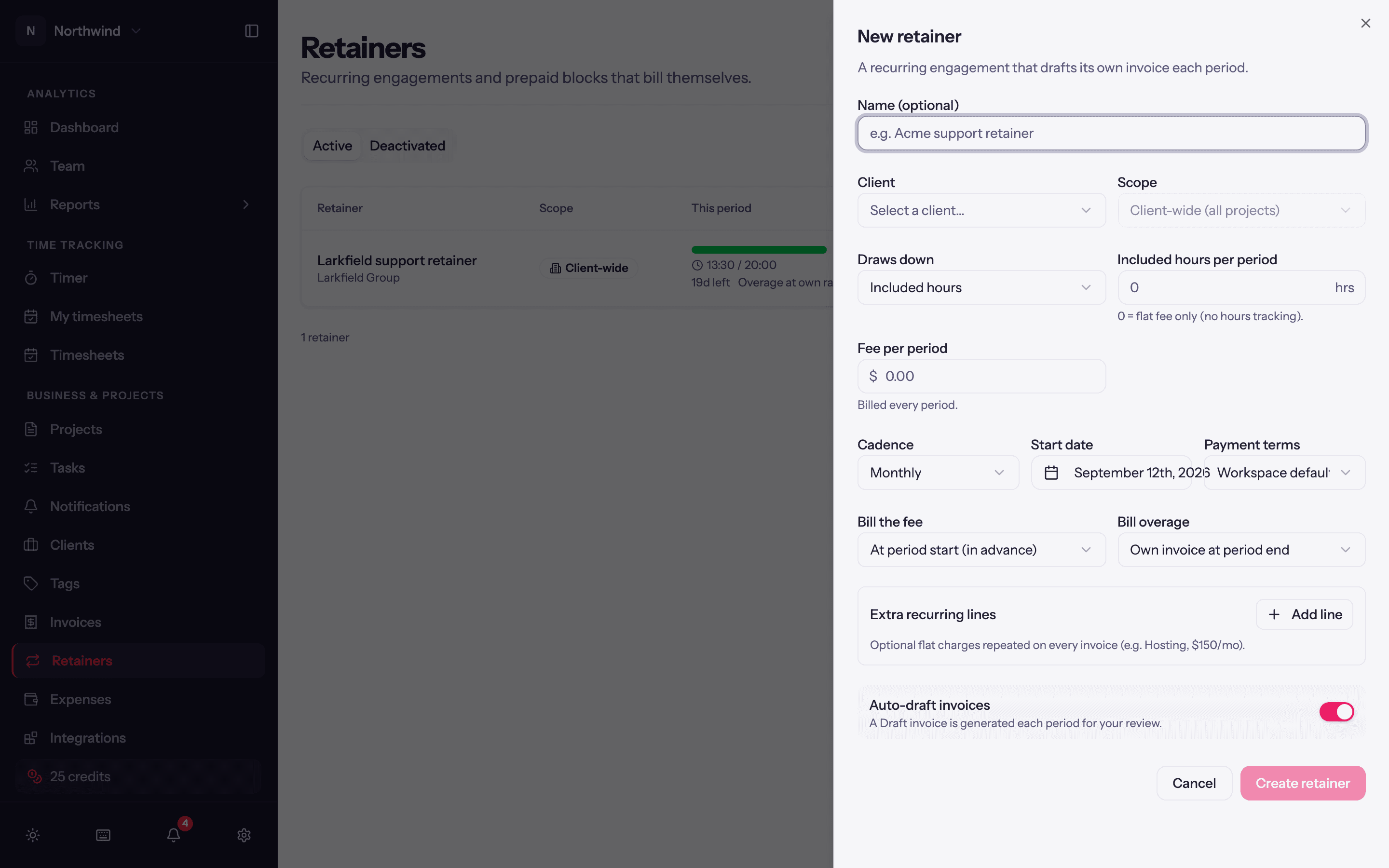
| Setting | Options |
|---|---|
| Name | Optional; defaults to something sensible. |
| Applies to | Just this project, or Client-wide: one allowance pooled across every project of this client, current and future. |
| Draws down | Included hours: an hours allowance per period (0 = flat fee only, no hours tracking). Or The fee, at billable rates: a money budget where each entry consumes the fee at its own rate, so senior time drains it faster; optionally with a % rate discount. |
| Fee per period | The amount billed each period (or once, for a one-off). |
| Covered people | Everyone in scope, or specific people. Time from anyone not covered bills normally, on the same invoice. |
| Unused hours | Expire each period, or Roll over (capped) up to Max carried hours. |
| Overage bills at | Each person's own rate, A flat rate (Flat overage rate), or Don't bill overage. |
| Cadence | Monthly, Quarterly, Yearly (a maintenance plan billed once a year) or One-off (a single block with no periods and no reset). |
| Start date, Payment terms, Tax profile | As on an invoice. |
| Bill the fee | At period start (in advance) or At period end (in arrears). |
| Bill overage | Own invoice at period end, or On the next fee invoice. |
| Extra recurring lines | Fixed lines added to every fee invoice, e.g. Hosting. |
| Auto-draft invoices | Let Quanta create the draft invoices at each boundary. Off means you press Bill fee now yourself. |
Only billable time draws a retainer. If the project bills as non-billable or fixed fee, the form offers to Turn on hourly billing with a Default billable rate when you save.
What happens each period
At every period boundary (or when you close a period by hand) Quanta cuts a statement: it sweeps all unbilled covered time to date, works out covered hours, overage and carry, and settles those entries so they show a lock in the timer (Part of the closed statement … on retainer …). Then it bills whatever is owed, following your Bill the fee and Bill overage choices. A period with nothing owed produces a statement and no invoice; an invoice is never $0.
Time logged late lands in the next sweep rather than leaking. Non-billable time never draws the retainer.
The retainer page
Click a retainer for its page:
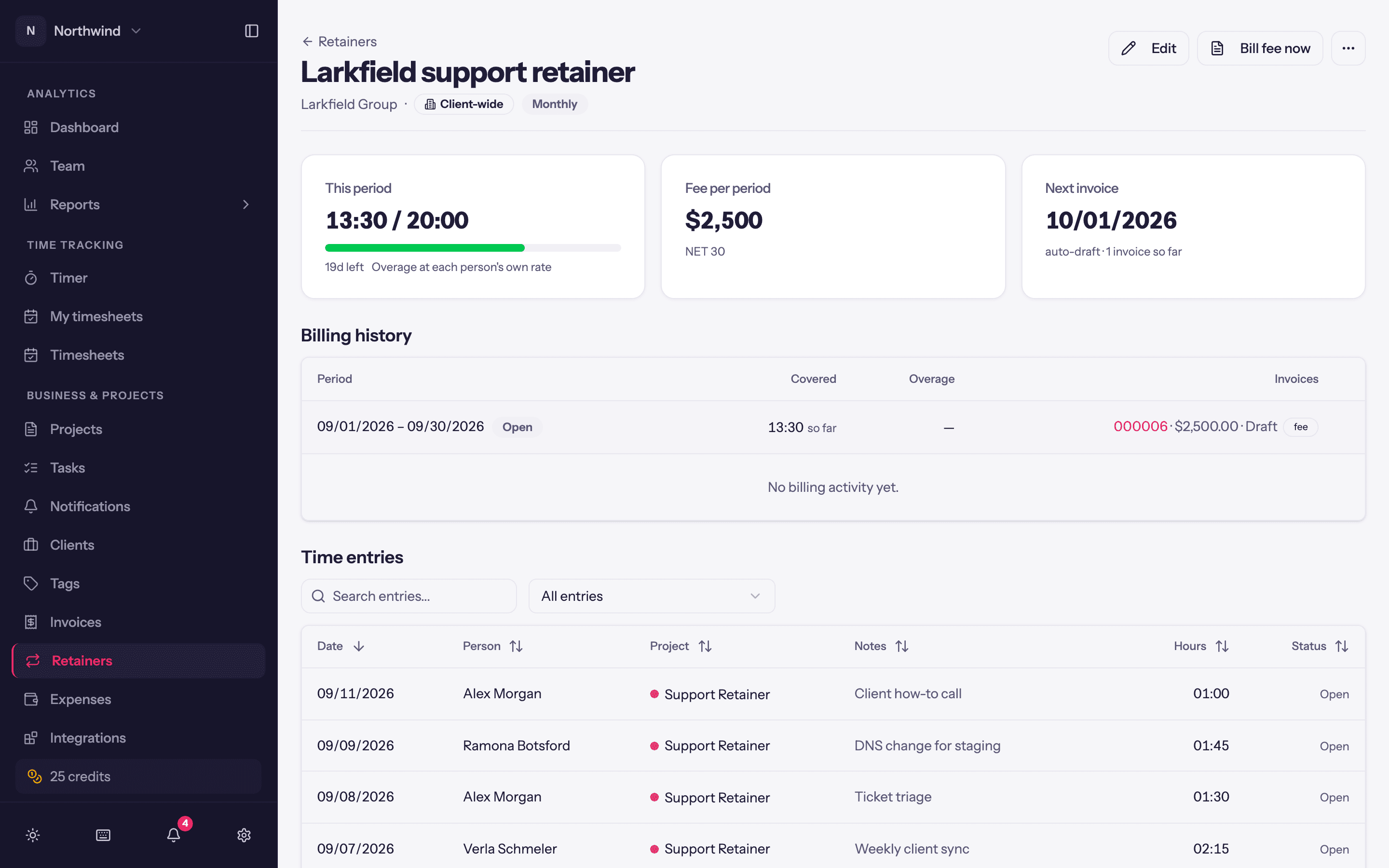
- Balance, Purchased, Billed, This period, Flat fee and Next invoice at the top.
- Ledger: every event (statement closed, fee drafted, top-up, wrap-up, write-off) with the invoice it produced.
- Billing history: each period with what was covered, what was invoiced and what is still open, with Reopen on a closed statement if something was logged late or wrongly (its entries become unbilled again).
- Time entries: everything that drew the retainer, filterable by project and by open, non-billable, settled or invoiced.
Actions in the header:
- Edit the deal. Lines the retainer generates on invoices are locked to it; change the deal here, not on the invoice.
- Bill fee now: draft the fee invoice immediately, for example at signing.
- Top up block (one-off blocks): add hours, with a draft invoice for them. A top-up can be removed, which deletes its invoice and returns the hours.
- Lock entries to date: settle everything so far without waiting for the boundary.
- Wrap up this block when a prepaid block is finished, writing off any overrun or billing it per the overage rule; Undo wrap-up reverses it.
The list
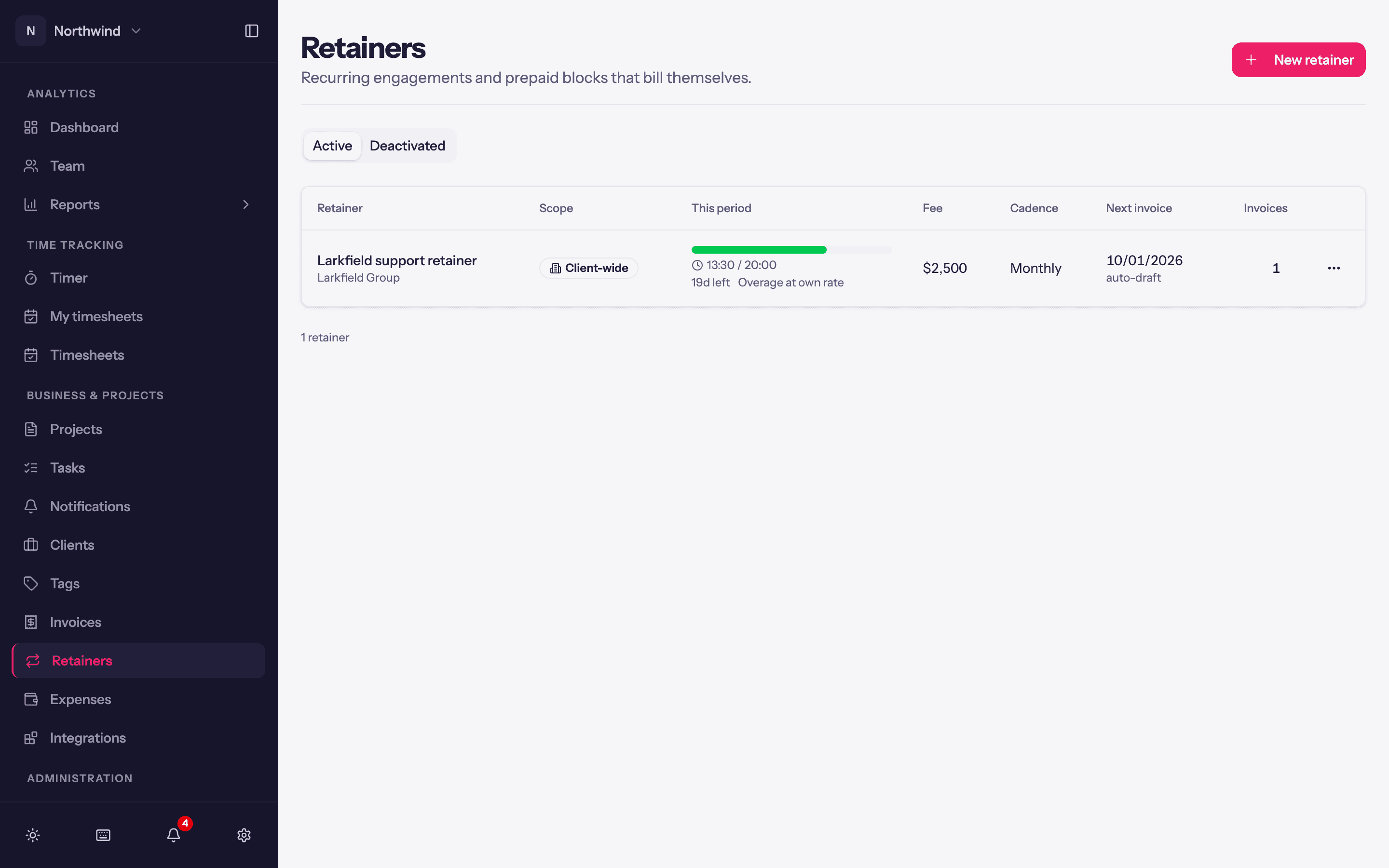
Each row shows the retainer and its client, Scope (Client-wide or the project), This period (hours used against the allowance, days left, and how overage bills), Fee, Cadence, Next invoice (with auto-draft when Quanta will create it) and how many Invoices it has produced. The Active and Deactivated tabs split the list; a badge marks a block as Exhausted or a one-off as Completed.
With the fee billed At period start (in advance), the first fee invoice is drafted the moment you create the retainer, so a new deal shows one invoice straight away.
Status
Deactivate stops auto-drafting and stops time drawing the retainer; history and invoices stay and it can be reactivated. Delete stops future generation; invoices already generated are not affected.
Retainers and budgets
A budget is a guardrail for your team; a retainer is a deal with the client. They do not reference each other. If you just want a warning at 80% of the hours you quoted, use a project budget.