Client Portal
Invoice share links
A secure link to one invoice, for a client who needs the invoice but not a portal login.
Applies to:
Admins
Every sent invoice can have a share link. It opens that one invoice, its PDF and, when online payment is on, the Pay button. It never shows the client's other invoices or projects, and nobody has to sign in.
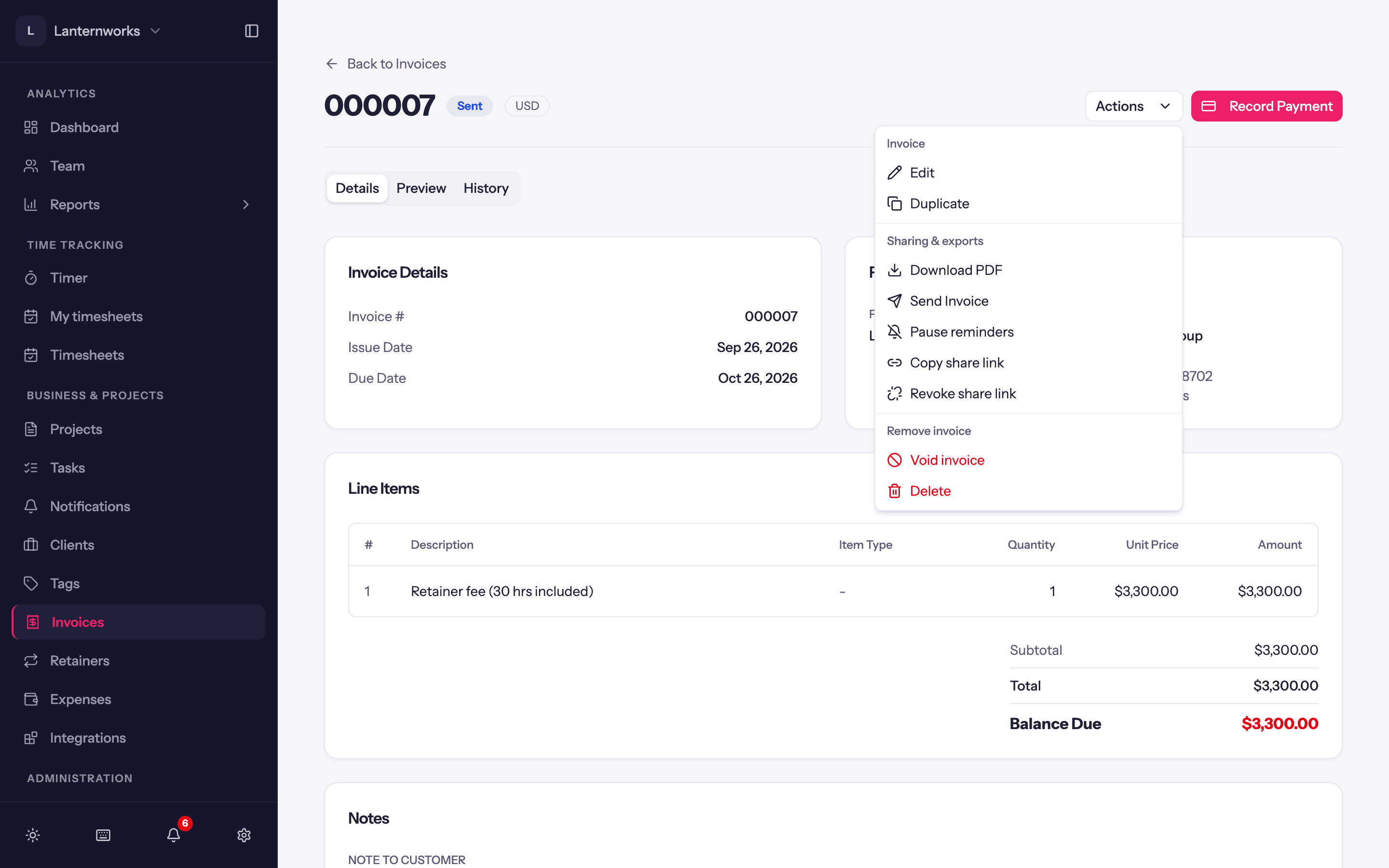
- Copy share link is in the invoice's Actions menu, under Sharing & exports. Anyone with the link can view the invoice.
- Invoice emails and payment reminders carry the same kind of link, as a Pay invoice or View invoice online button. See Sending invoices.
- Revoke share link stops every link to that invoice working immediately, including the ones in emails you already sent. You can copy a new one at any time.
Share links need the client portal switched on for the workspace. Copying and revoking need permission to edit invoices, and a draft can't be shared.