Reports
Budget report
Every budget in the workspace with its spend, remaining, status and reset date.
Applies to:
Admins
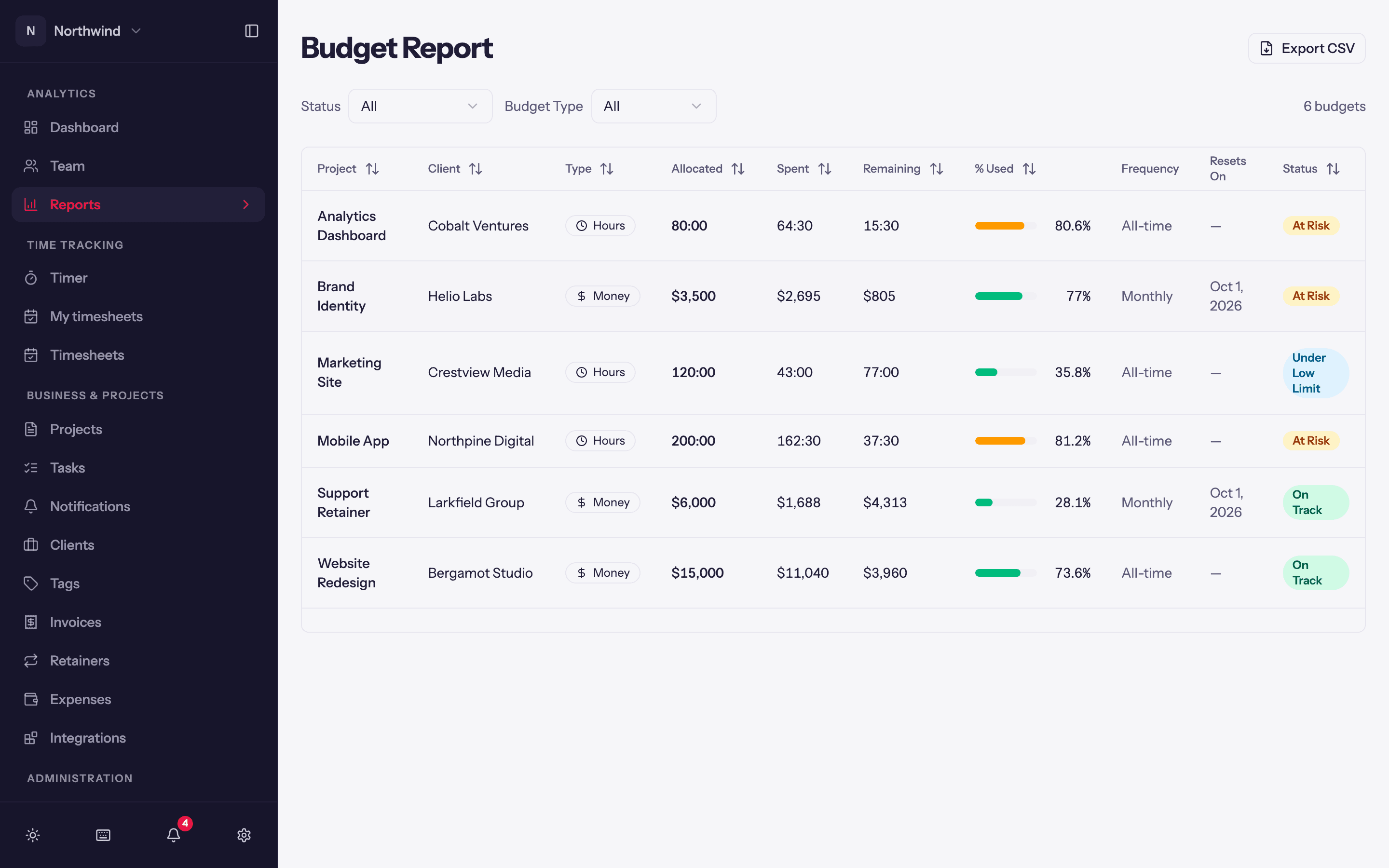
Analytics → Reports → Budget Report lists every active budget: project-wide, per task and per person. Admins see all of them; a project Manager or Lead sees the budgets of their projects (amounts for Leads depend on the budget's visibility switch).
Columns
- Project (and task or person, for scoped budgets).
- Budget Type: Hours or Money.
- Amount, spent, remaining and a progress bar.
- Status: On Track, At Risk (75% or more used), Over Budget (100% or more), Under Low Limit (spend below the low watermark). See Project budgets.
- Frequency (Never, Weekly, Biweekly, Monthly) and Resets On for recurring budgets.
Filter by status and by project, and Export the table to Excel.
Keeping it accurate
Spend is cached. If a row looks stale, open the project and click Recalculate budget on its budget card. Paused budgets (from a project whose budget type was changed) are not listed.